
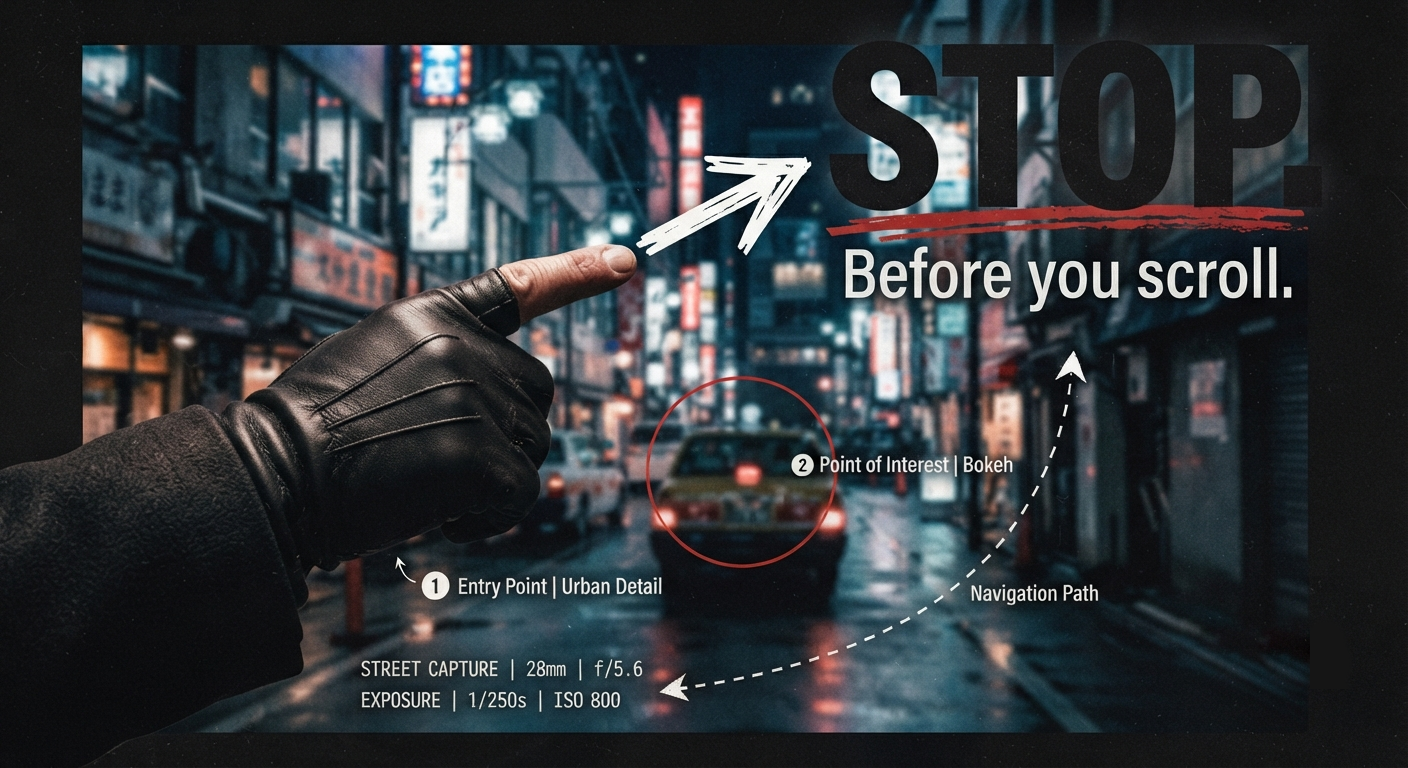
Want to grab your audience’s attention and guide their eyes exactly where you want them to look?
Sometimes, the simplest visual element can be one of the most effective.
The pointing finger is a classic graphic design technique for directing attention. We naturally respond to directional cues. When we see a finger, arrow, line, or other visual pointing toward something, our eyes tend to follow that direction.
That makes directional elements incredibly useful when you need to communicate a message quickly.
Why does it work?
Think about how much visual noise people encounter every day. Social media feeds, websites, advertisements, thumbnails, notifications—it’s a constant stream of information competing for attention.
A pointing gesture creates a clear visual path.
Instead of making the viewer figure out where to look, the design gives them a direction:
👉 Look here.
👉 Read this.
👉 This matters.
That small visual cue can strengthen your hierarchy, emphasize an important message, and help your design communicate faster.
From “Look Here” to “Stop Scrolling”
This technique can be especially effective in social media graphics, video thumbnails, advertisements, editorial designs, and digital artwork.
Combine a pointing finger with strong typography, contrast, scale, or phrases such as “THIS MATTERS” or “STOP SCROLLING,” and you create multiple visual signals working together to capture attention.
The goal isn’t simply to make something flashy.
It’s to control the visual journey—giving the viewer a clear starting point and guiding them toward the message you want them to remember.
In this video, we explore the graphic design technique of using pointing fingers, arrows, lines, and other directional elements to guide the viewer’s eye.
Because sometimes, getting noticed isn’t about adding more to the design.
It’s about showing people exactly where to look.
Schedule a call today to discover how this timeless visual technique can be adapted to your brand and create stronger, more attention-grabbing content.


One response to “How to control viewer attention in crowded feeds”
The point about directional cues is spot on—fingers, arrows, and lines can guide attention almost instantly without adding more text. It’s a useful reminder for website design and digital marketing projects in Jupiter.